
TL;DR
Copy and paste the selected shadow group dates onto the CIT Program Tracking board, remove the selected groups from the Fillout form so spots are no longer available, then send connection emails between the CIT and each consultant using the canned response titled “CITBT Shadow Group.” Once all steps are complete, close the ticket.
Full Instructions
This workflow is used when a CIT submits a Basic Training Consultation Group Shadow form. As part of the CIT program, each CIT is required to shadow two Basic Training consultation groups. These requests are submitted through a form containing approved consultant group options.
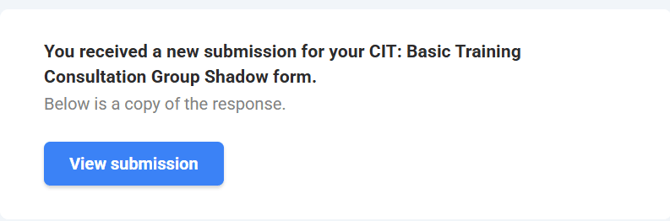
When a form submission comes in, open the request and review which consultation groups the CIT selected to shadow. Typically, the submission will include two separate group dates, times, and consultants.
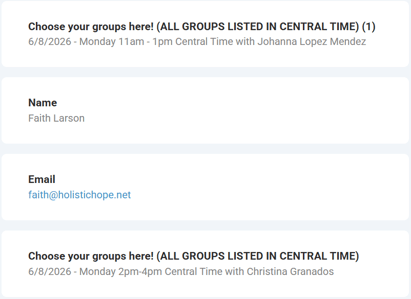
The first step is to track these shadow dates in the CIT Program Tracking board in Monday.com. Open the CIT Program Tracking board and search for the CIT by name. Once you locate their record, update the fields related to Basic Training consultation group shadowing by copying and pasting the selected group information directly from the form submission. Scroll right to find these columns.

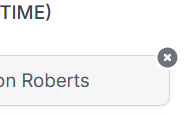
After the dates have been added to the board, the next step is to remove those selected group options from the Fillout form. Because Fillout does not currently allow slot inventory management, this must be updated manually whenever someone signs up for a shadow group. Locate the selected group dates within the Fillout form settings and remove the available slot that was claimed by the CIT. Most groups typically have two available shadow slots, so after one is taken, you will delete one remaining slot option for that date and time. To delete, hover over the group and click on the 'X' available to the right of the option that is to be deleted.
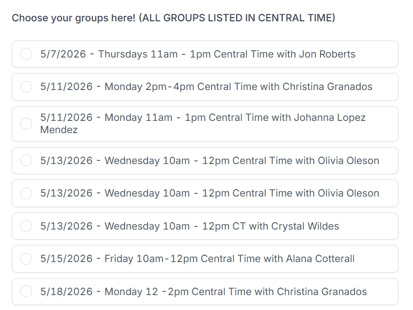
Repeat this process for both selected consultation groups to ensure the form availability remains accurate for future submissions.
Once the tracking and slot removal steps are complete, send introduction emails connecting the CIT with each consultant whose group they will be shadowing. Use the canned response titled “CITBT Shadow Group.”
For each consultant connection email, update the consultant name, shadow date, and consultation group time before sending. The email should instruct the consultant to connect with the CIT directly and provide any necessary Zoom links or additional details. The CIT will also be responsible for scheduling a one-hour debrief following the shadow session.
A separate email should be sent for each selected consultation session/consultant pairing. Once both emails have been sent, verify that all tracking updates and form edits were completed successfully.
After all steps are complete, close the ticket according to standard workflow procedures. Accuracy is especially important in this workflow since Fillout availability is managed manually and duplicate signups can occur if spots are not removed correctly.
For any further clarification, please contact Mads Klemm.